
An interactive touchscreen is an all-in-one display panel with built-in computer processing that allows users to manipulate on-screen data, write, and navigate applications using direct physical touch. It serves as a modern replacement for traditional setups by combining the visual capabilities of an LCD or LED screen with the input functionalities of a computer mouse, a physical keyboard, and a classic whiteboard.
Key Features
- Multi-Touch Functionality: High-end screens support multiple simultaneous touchpoints. This lets teams or students collaborate at the exact same time.
- On-Board Computing: Many large-format interactive panels feature an on-board PC or Android operating system. They can run fully independently without requiring an external laptop connection.
- Digital Annotation: Users can write, sketch, or highlight directly over files, presentations, and websites using a stylus pen or a bare finger.
- Universal Connectivity: They feature multi-platform software compatibility to mirror and share screen layouts wirelessly with smartphones, tablets, and laptops.
Common Technologies Behind the Screen
- Projected Capacitive (PCAP): The reigning market standard used in smartphones and premium boardroom displays. It calculates precise contact by leveraging the electrical properties of human skin.
- Resistive: Pressure-based screens consisting of two flexible conductive layers. They are highly cost-effective, work with gloved hands, and are frequently found on supermarket checkout keypads or factory control panels.
- Infrared (IR): Uses an invisible grid of infrared light beams across the screen face. Breaking the light beam registers a touch point, making it highly accurate for massive classroom boards.
Primary Use Cases
- Education: Large wall-mounted displays allow teachers to run interactive learning builders where students can physically step up and manipulate objects on screen.
- Corporate Settings: Used in meeting rooms for hybrid video conferencing and digital brainstorming via software like Microsoft Whiteboard or Miro.
- Commercial Signage & Retail: Implemented into self-service ticketing stations and retail product-ordering terminals to give consumers control over their transactions.
-
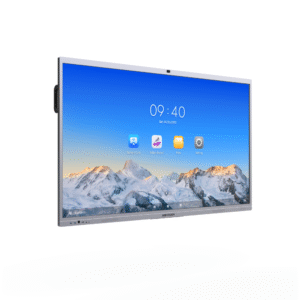 Display Solutions
Hikvision DS-D5C86RB/B
Read moreHikvision DS-D5C86RB/B WonderHub Ultra Series 86″ 4K Resolution Smart Interactive Touchscreen Display – Android 14 – Built-in 4K Camera – WiFi – Built-in Mic + Speaker For Video Conferencing – Supports Mirroring to Phones & Windows

-
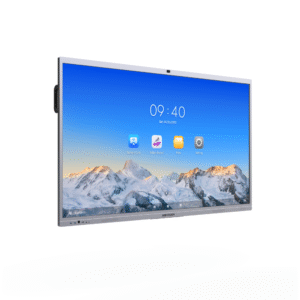 Display Solutions
Hikvision DS-D5C75RB/B
Read moreHikvision DS-D5C75RB/B WonderHub Ultra Series 75″ 4K Resolution Smart Interactive Touchscreen Display – Android 14 – Built-in 4K Camera – WiFi – Built-in Mic + Speaker For Video Conferencing – Supports Mirroring to Phones & Windows
-
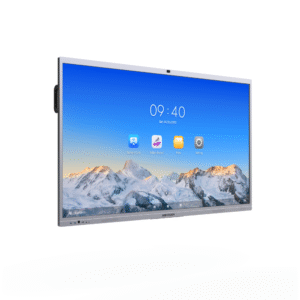 Display Solutions
Hikvision DS-D5C65RB/B
Read moreHikvision DS-D5C65RB/B WonderHub 65″ 4K Resolution Smart Interactive Touchscreen Display – Android 14 – Built-in 4K Camera – WiFi – Built-in Mic + Speaker For Video Conferencing – Supports Mirroring to Phones & Windows